Google Workspace vs. Microsoft 365: An In-Depth Look at Pricing and Value for Modern Businesses
Google Workspace vs. Microsoft 365: An In-Depth Look at Pricing and Value for Modern Businesses

Choosing a productivity suite is no longer simply a question of whether employees prefer Gmail or Outlook.
For modern businesses, the decision affects communication, collaboration, document management, storage, security, administration, and ultimately the cost of running the organization.
Two platforms dominate this conversation: Google Workspace and Microsoft 365.
Both offer comprehensive business productivity tools, but they approach work differently. The better choice depends less on which platform has the longer feature list and more on how well its ecosystem fits the way your business operates.
The Real Question: Price or Value?
At first glance, comparing subscription prices seems straightforward.
But the cheapest license is not necessarily the cheapest solution.
A business also needs to consider:
The real calculation is therefore not simply cost per user.
It is value per user.
Google Workspace Pricing
Google Workspace currently offers three primary Business editions for organizations with up to 300 users.
PlanAnnual/Fixed-Term PriceFlexible PriceStorageBusiness Starter$7/user/month$8.40/user/month30 GB pooled per userBusiness Standard$14/user/month$16.80/user/month2 TB pooled per userBusiness Plus$22/user/month$26.40/user/month5 TB pooled per user
Google states that these are standard USD prices; regional pricing can vary.
The Annual/Fixed-Term option provides the lower per-user price, but it involves a commitment. Under the Flexible plan, businesses can add or remove users and are billed based on their usage.
For a growing business with a relatively stable workforce, the annual option can therefore offer better pricing.
For a business whose workforce changes frequently, the flexibility of monthly billing may be more valuable.
Microsoft 365 Pricing
Microsoft 365 takes a somewhat different approach.
Its Business plans include Business Basic, Business Standard, and Business Premium, with additional options and plans that include Microsoft Copilot.
Microsoft's pricing can also vary based on billing arrangement, region, Teams inclusion, promotions, and whether additional services such as Copilot are included.
Microsoft has also introduced Business Standard and Business Premium subscriptions with Copilot as part of its 2026 offerings, demonstrating how AI is increasingly becoming part of the productivity-suite pricing conversation.
Rather than comparing a single headline price, businesses should compare the exact Microsoft 365 plan against the equivalent Google Workspace plan based on the applications and capabilities they actually need.
Google Workspace's Biggest Advantage: Collaboration
Google Workspace was designed around cloud-first collaboration.
Gmail, Drive, Docs, Sheets, Slides, Meet, and other services work together within the same ecosystem.
Multiple people can work on the same document simultaneously, leave comments, suggest changes, and see updates without constantly exchanging file versions.
For businesses whose teams work primarily through browsers and cloud applications, this can create a very straightforward workflow.
A document can move from creation to review to approval without employees needing to email different versions back and forth.
Microsoft 365's Biggest Advantage: The Office Ecosystem
Microsoft 365 has a major advantage for organizations deeply invested in Microsoft Office.
Word, Excel, PowerPoint, Outlook, Teams, SharePoint, OneDrive, and other Microsoft services form a mature ecosystem that many businesses already understand.
For organizations that depend heavily on advanced Excel functionality, desktop Office applications, Outlook workflows, or Microsoft-specific business systems, moving away from that environment may create unnecessary disruption.
In such cases, Microsoft 365 can offer significant value even if another platform appears simpler.
Storage Matters More Than It Looks
Storage can become an important differentiator as a business grows.
Google Workspace Business Starter provides 30 GB of pooled storage per user, while Business Standard increases this to 2 TB per user and Business Plus to 5 TB per user.
But businesses should not compare storage numbers in isolation.
They should consider how storage is actually used.
A company storing mostly documents may have very different requirements from a media agency handling large video files, design assets, presentations, and campaign materials.
The right plan is the one that matches the organization's actual data requirements.
Security and Administration
Security is another area where the comparison becomes more nuanced.
Both platforms provide business-grade security and administrative capabilities, but the exact features available depend heavily on the subscription level.
Google Workspace Business Plus, for example, adds more advanced security and management capabilities compared with lower Business editions.
Microsoft 365 Business Premium similarly targets organizations requiring stronger security and device-management capabilities.
For businesses handling sensitive customer information, financial data, intellectual property, or regulated information, security features should be evaluated alongside productivity features.
AI Is Changing the Calculation
AI has changed what businesses expect from productivity software.
Both Google and Microsoft are increasingly integrating AI into email, documents, meetings, research, and other workflows.
This means businesses should ask a new question:
How much productivity can AI create for each licensed employee?
An AI feature that saves an employee several hours every month may justify a higher subscription cost.
But only if employees actually use it.
Adding AI licenses to every employee without understanding where they create value can quickly increase technology spending without producing meaningful returns.
Migration Has a Cost
Switching platforms can look attractive when comparing monthly subscription prices.
But migration itself has a cost.
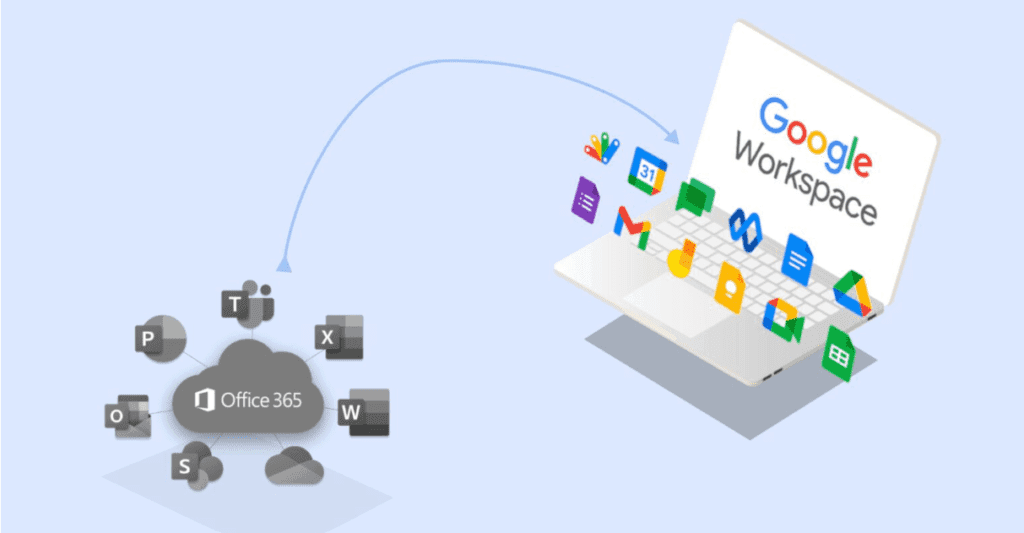
Moving from Microsoft 365 to Google Workspace—or the other way around—may involve:
For a small organization, this may be relatively straightforward.
For a larger organization with years of accumulated data and complex workflows, migration can become a significant project.
The cost of switching should therefore be included in the business case.
Which One Is Better for Your Business?
There is no universal winner.
Choose Google Workspace if:
Your organization is strongly cloud-first.
Your teams collaborate heavily on shared documents.
You prefer browser-based workflows.
Your business already uses Google's ecosystem extensively.
You want a relatively simple collaboration environment.
Choose Microsoft 365 if:
Your organization relies heavily on Word, Excel, PowerPoint, and Outlook.
Your teams require desktop Office applications.
You already have significant Microsoft infrastructure.
Your workflows depend on Microsoft-specific services.
Advanced Excel capabilities are central to your operations.
The Better Question Is: What Does Your Business Need?
Productivity software should support the business rather than force the business to work around the software.
Google Workspace and Microsoft 365 are both capable platforms.
The difference comes down to ecosystem, workflow, compatibility, security requirements, employee habits, and total cost of ownership.
A company that spends less on licenses but loses productivity because its employees struggle with unfamiliar workflows has not necessarily saved money.
Likewise, a company paying for powerful Microsoft features that its employees rarely use may be spending more than necessary.
The best decision is the one that creates the strongest balance between cost, productivity, security, collaboration, and long-term business value.
Final Thoughts
The Google Workspace vs. Microsoft 365 debate should not be reduced to a simple price comparison.
Both platforms have evolved into much larger ecosystems than email and office applications.
They are now infrastructure for how businesses communicate, collaborate, store information, manage users, secure data, and increasingly use AI.
The right choice is therefore not necessarily the platform with the lowest subscription price.
It is the platform that gives your people the tools they need while creating the greatest value for every dollar your business invests.